
Available now

Inventory, POS & Store

Stock in every warehouse, a point-of-sale till and a pickup store, all on the same books.

21 features in 5 groups. Included in Business, Professional, Enterprise and Business (founding rate)
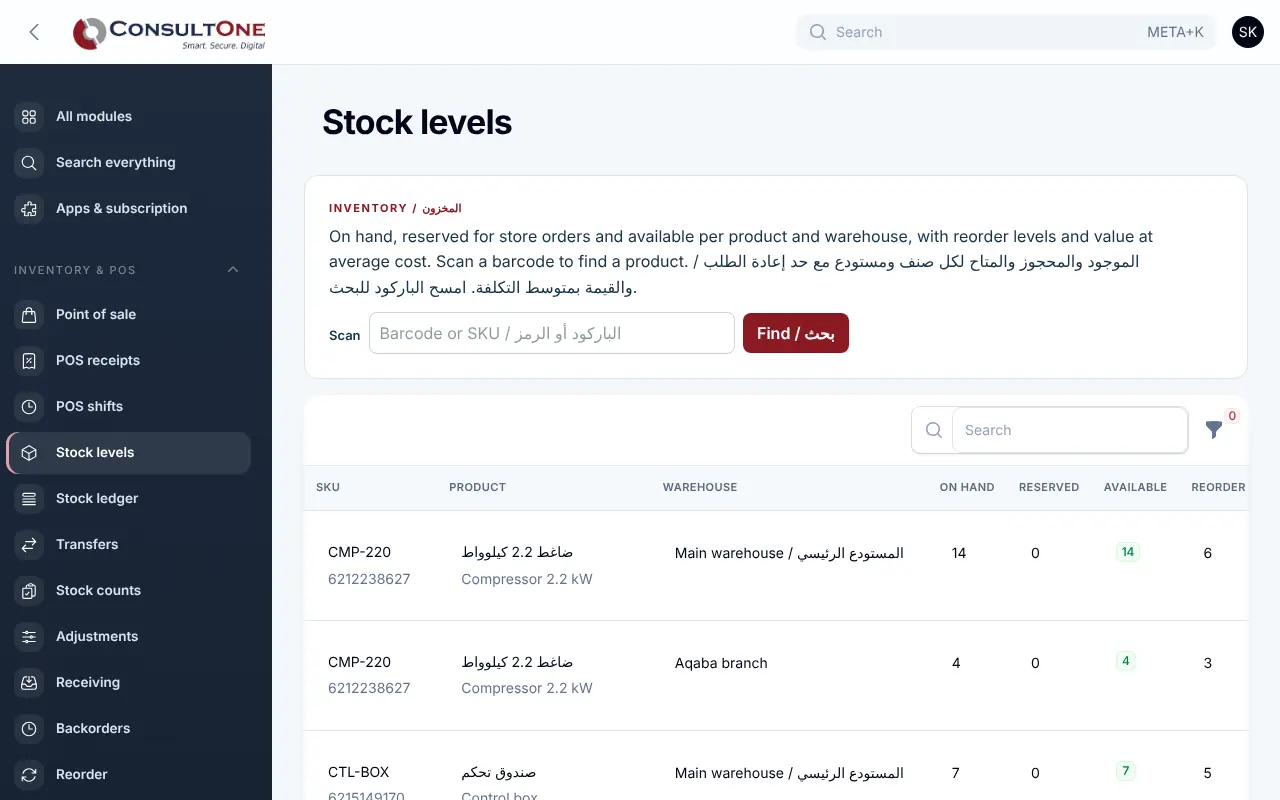
Inventory, POS & Store in the Portal, with the sample company Demo Trading Co.

Stock counted in one system, sold in another and paid for in a third, so the shelf and the books rarely match.

With Inventory, POS & Store

Keep stock and its value right across your warehouses: receive against purchase orders with freight and customs in the cost, move goods between locations, count with a barcode scanner and reorder before you run out. Sell over the counter at the till, where every sale is a proper tax invoice, or let customers reserve online for pickup.

  1. Warehouses and stock5 features
  2. Counts and barcodes3 features
  3. Receiving and reordering4 features
  4. Point of sale6 features
  5. Pickup store3 features

Group 1 of 5, 5 features

Warehouses and stock

  • Several warehouses with a default one; stock on hand and available per warehouse
  • Stock ledger with running quantity and value; weighted average cost
  • Stock valuation as at any date, cost of sales and gross margin per product, and every movement linked to its ledger journal
  • Transfers: draft, in transit, received; goods on the road stay counted
  • Adjustments with a reason: damage, expiry, loss, found stock or other
Warehouses and stock in the Portal, with the sample company Demo Trading Co.

Group 2 of 5, 3 features

Counts and barcodes

  • Count sessions that snapshot a warehouse; quantities typed or scanned
  • Posting books the differences as one count adjustment
  • Code 128 barcode labels printed from the barcode or SKU

Group 3 of 5, 4 features

Receiving and reordering

  • Receive against purchase orders into a warehouse; what is missing stays as a backorder
  • Freight and customs spread by value or quantity into product cost
  • Reorder levels per product and warehouse; suggestions count what is already on order
  • Turn suggestions into a draft purchase order per supplier
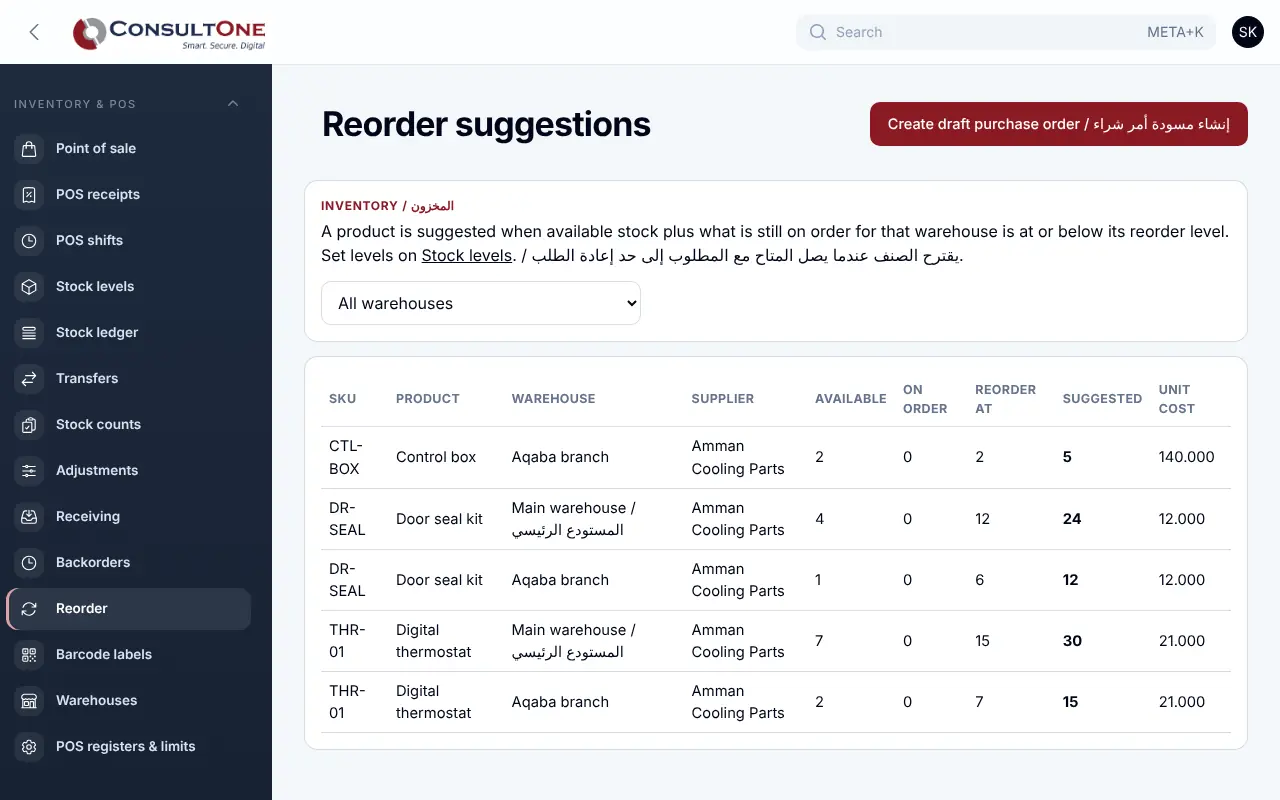
Receiving and reordering in the Portal, with the sample company Demo Trading Co.

Group 4 of 5, 6 features

Point of sale

  • Till with product search and barcode scanning
  • Registers with their warehouse, currency, tax rate and shelf prices with or without tax
  • Cash, card on the terminal or CliQ, and split payments
  • Line and cart discounts, limited per role
  • Every sale is its own tax invoice in Finance, with an 80 mm receipt
  • Cashier shifts with a cash count against the expected drawer; returns issue a credit note and put stock back
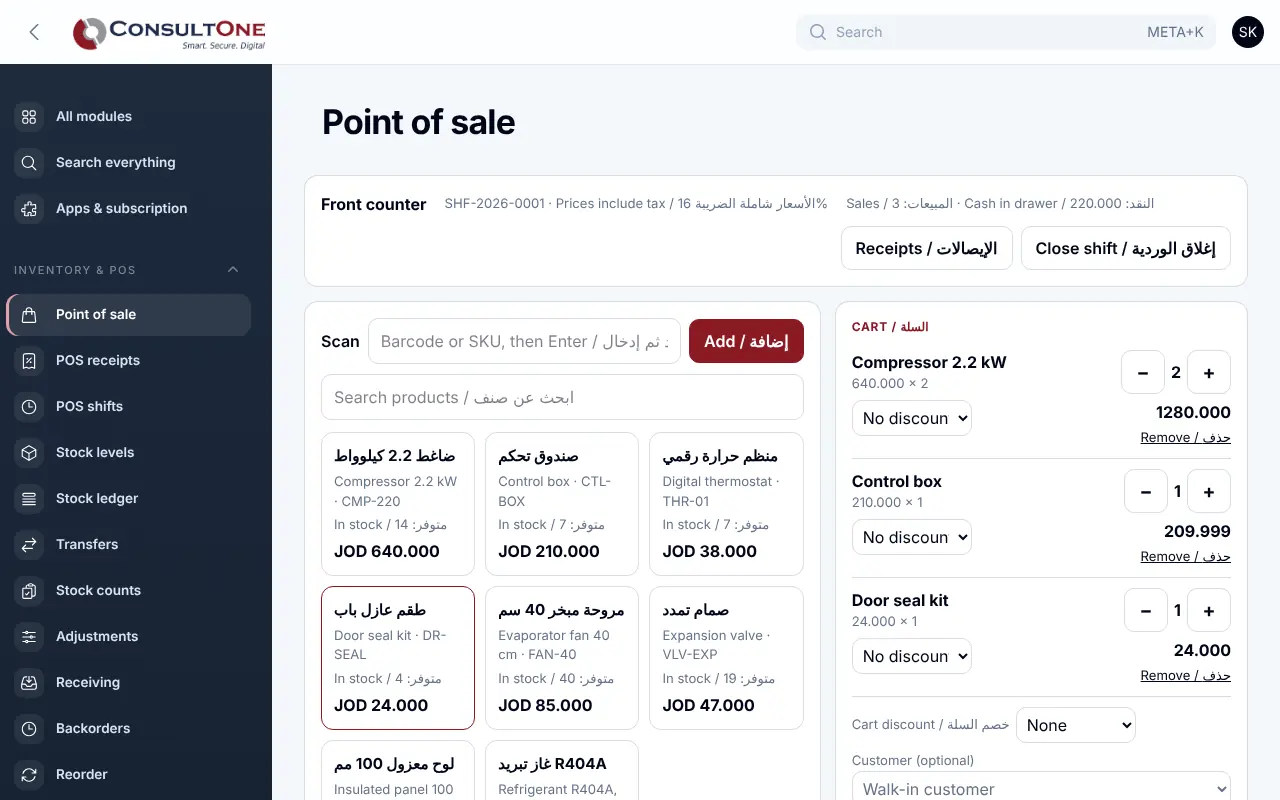
Point of sale in the Portal, with the sample company Demo Trading Co.

Group 5 of 5, 3 features

Pickup store

  • Public catalogue in English and Arabic with cart and checkout for pickup
  • Orders hold stock until collected or released
  • Order limits you control

How it works

  1. Set up warehouses and products

    Opening stock, cost, barcode and reorder level.

  2. Receive and move stock

    Against purchase orders, between warehouses, with counts.

  3. Sell

    At the till or through the pickup store.

  4. Reorder

    Suggestions become draft purchase orders.

Settings and security

Settings you control

  • Warehouses and the default one
  • Registers and discount limits per role
  • Reorder levels and order sizes
  • Store order limits
  • Owners and administrators manage; staff sell and count

Your data stays your company's

  • Every company has its own separate books that no other company can see.
  • Two-step sign-in is required for owners and administrators.
  • Access by role: owner, administrator, accountant, staff, read only.

Plans that include it

Plans that include this app are marked. Every self-service plan starts with a 14-day free trial.

Prices in Jordanian dinars per month.

Questions before you start

Is each till sale a tax invoice?

Yes. Each sale is issued through Finance with its own number and per-line tax, as JoFotara requires.

Can customers pay in the online store?

The store is built for pickup; card payment is available on invoices through the payment gateway.